 BeforeAfter
Low Maintenance style
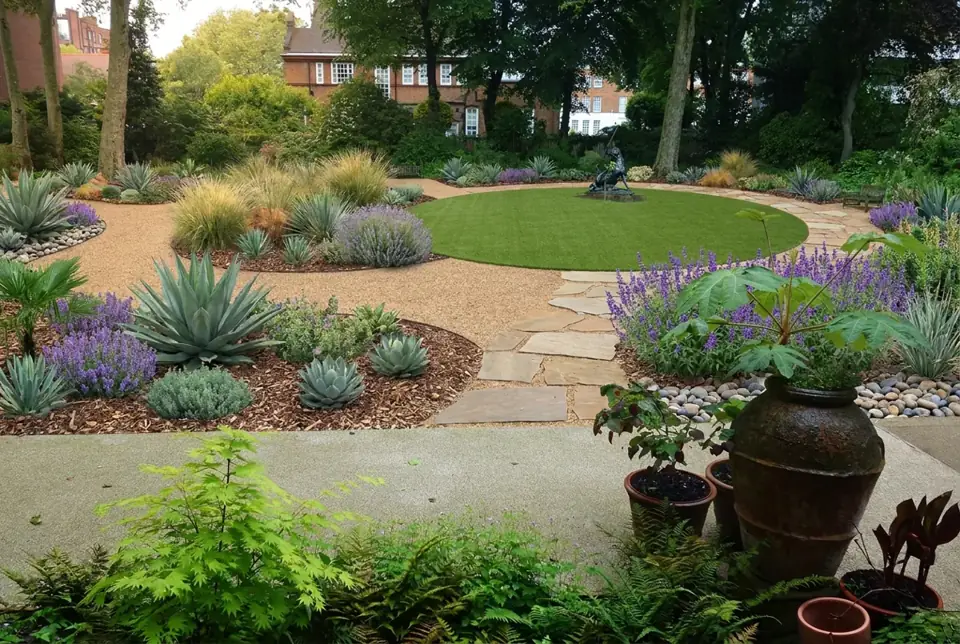
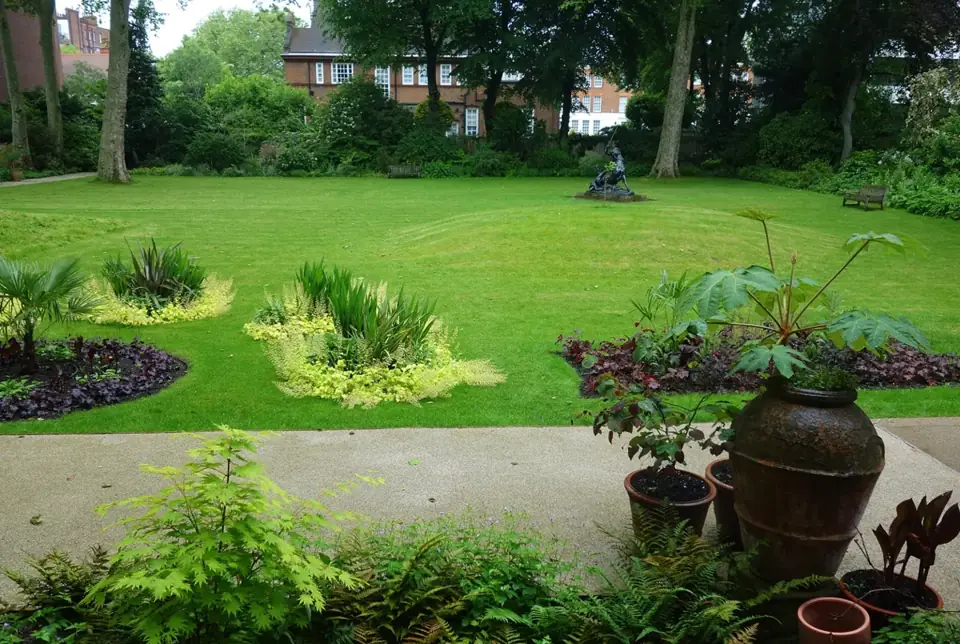
Before photo: Back yard - Leighton House Museum - London by Daderot, CC0 1.0. After image generated by this site's AI from that photo.
Try this styleUpload a photo of your garden, choose a style, and preview how beds, borders and paths could be reorganised before you pick up a spade.
Upload yard/garden photos only. No people, nudity or adult content. Acceptable use
A garden is different from a plain lawn. It is made of layers: beds and borders, paths that move you through the space, tall plants at the back and low ones at the front, and a mix of leaf shape and colour that changes with the seasons. That makes gardens satisfying, and it also makes them hard to plan on paper. This tool lets you start from a photograph of your own garden and see a rendering in which the planting and paths have been redesigned in a style you choose.
The AI is asked to keep the overall footprint of your garden and any existing structures recognizable, while it rethinks the beds, the borders, the paths and the planting layers. If you have ever stood in front of a tired border wondering whether to start again, this is a quick way to compare directions. You may find that replacing a section of lawn with a wide bed makes the space feel larger, or that a curving gravel path gives a flat garden some movement.
It is a simple way to explore AI garden design for a small town garden, a long suburban plot or a courtyard, without any drawing skills. Think of the output as a mood board built on your own photo rather than as a planting plan.
The garden tool is most useful if you are in one of these situations:
A modern garden relies on structure. Expect rectangular or softly geometric beds, a limited palette of plants repeated in drifts, ornamental grasses, clipped hedging and hard edges in stone, concrete or steel. Paths tend to be straight and wide. This approach works well in small gardens because repetition and restraint make a limited space look calm, but it does need regular tidying to keep the lines crisp.
A tropical garden is about density and layers: large leaves, ferns, bromeliads, palms or palm-like plants and bold flower colour packed closely together, often around a timber path or seating spot. It can make a garden feel like a hidden retreat. It is most realistic in warm, frost-free climates, so in colder places use the rendering as inspiration for hardy bold-leaved plants rather than a literal shopping list.
A low-maintenance garden uses tough, drought-tolerant plants, gravel or mulch, stepping stones and a much smaller lawn. It suits dry climates, busy households and slopes that are awkward to mow. It is not maintenance-free, since weeds and pruning still happen, but the routine becomes lighter. Choose plants that suit your own sun, soil and rainfall.
This example was made with the site's standard yard design, starting from a formal lawn garden. It shows the kind of planting-and-path change the garden tool is aimed at. Results depend on the photo you upload, and a single design is only a starting idea.
BeforeAfterBefore photo: Back yard - Leighton House Museum - London by Daderot, CC0 1.0. After image generated by this site's AI from that photo.
Try this styleFrame the planting areas you want changed, not just the lawn. If the AI cannot see where a border sits, it cannot redesign it well.
Take the picture from a spot such as the back door, a terrace or a corner that shows the longest view, so paths and layers read clearly.
Include sheds, walls, pergolas, fences and large trees that will stay. The tool is asked to keep them recognizable, and they help anchor the layout.
Overcast daylight shows foliage and soil without blown-out highlights. Avoid strong midday sun and long shadows.
You do not need to weed for the photo, but remove hoses, tools, pots in transit and rubbish so they do not end up in the result.
The renderings are concept images. They are not planting plans, and the AI does not know your climate zone, soil, drainage or how much sun each corner receives.
Plants shown may not be suitable for where you live, may not flower together, or may grow far larger or smaller than drawn. Ask a local nursery or garden centre before buying.
Removing trees, changing levels or building structures can need permission, and some plants are restricted or invasive in certain regions. Check your local rules and any homeowner association guidelines before you start.
1 design is free, with no account. A one-time payment of $9.90 unlocks all 4 design options for your chosen style, with up to 8 generations included. No subscription.
Upload your garden photo — first design freeIt means using image generation to redraw a photo of your garden in a chosen style. The result is a visual concept of new beds, borders, paths and planting layers that you can use for inspiration.
No. It draws plausible plants for the style but does not produce a plant list for your climate and soil. Use the image to describe the look, and rely on a local nursery for species.
The tool redesigns the whole scene in your photo. If you only care about one area, photograph just that area so the AI concentrates on it.
A small courtyard can work if the photo shows the space clearly. For paved seating areas you may also like the patio tool, which is tuned for hard surfaces and furniture.
1 design is free. A one-time payment of $9.90 unlocks 4 design options in your chosen style, each a different variation of layout, lighting and planting.
No. It is a concept visualization. A landscaper or designer will need measurements, a site visit and a real plan.
Preview new curb appeal, walkways and foundation planting from a street-side photo.
Redesign any yard, front or back, when you just want one tool for the whole space.
Preview paved seating and dining areas, furniture, shade and planters.
Try timber or composite decking, railings, steps, built-in seating and planters.
The original tool: redesign a whole backyard from one photo.
