 BeforeAfter
Modern style
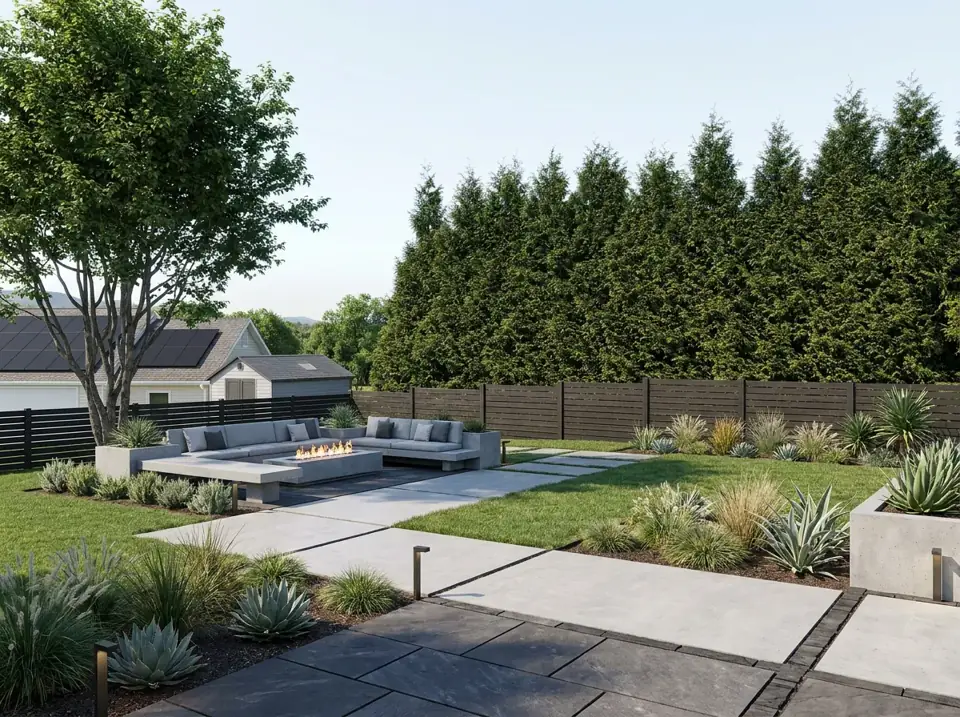
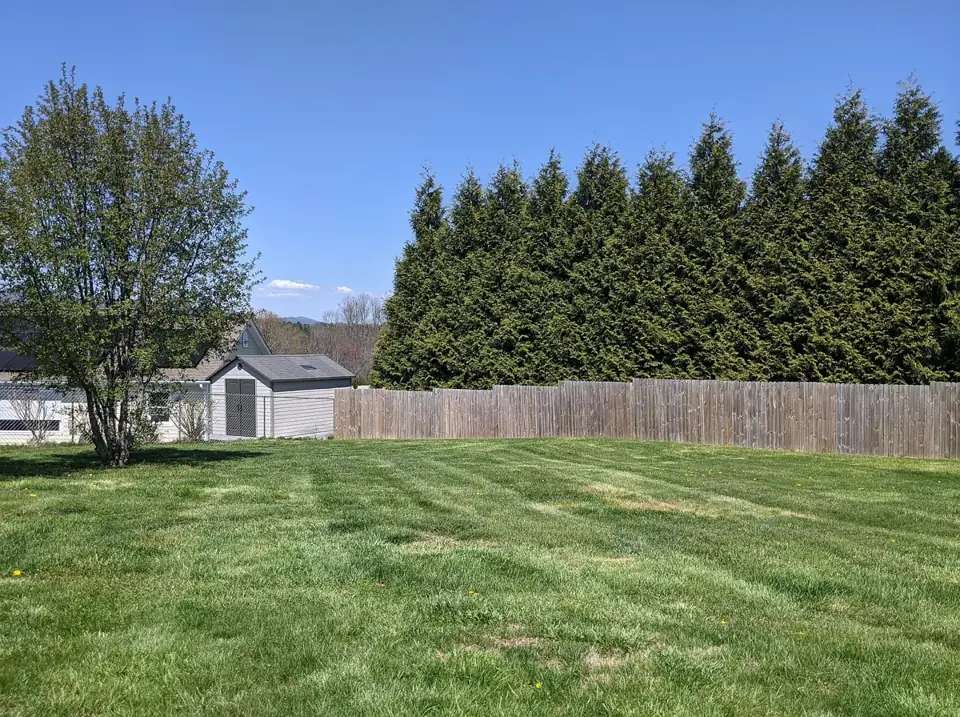
Before photo: Beautiful Trees In A Backyard by Chase Bohannon, CC0 1.0. After image generated by this site's AI from that photo.
Try this styleNot sure which tool fits your space? Upload a photo of the yard as it is and see it re-imagined in the style you pick.
Upload yard/garden photos only. No people, nudity or adult content. Acceptable use
Not every outdoor space fits a neat label. Some properties have one big yard wrapped around the house, some have a side strip that is part lawn and part path, and some people simply think of everything outside the door as the yard. This is the general-purpose tool for those spaces. It treats the photo as a whole yard, front or back, and balances ground cover, planting, paths and one or two places to sit.
You upload a photo, choose a style, and the AI produces a concept rendering that keeps your house and the basic layout recognizable. It is a good place to begin if you want to see what could change without committing to a particular idea such as a patio, a deck or a front entry. If one of the redesigns suggests a direction you like, you can then try a more specific tool for that part of the property.
Because the tool does not assume a purpose, it can be useful for working out what the space wants to be. A large flat lawn might turn into a mix of planting and a seating corner. A side yard might become a simple gravel path with screening plants. As an AI yard design experiment it is quick, and the first result costs nothing.
The general yard tool is a good choice when:
A modern yard organises the space into clear zones: a paved area for sitting, planted beds with a limited palette, and paths with sharp edges. Large pavers, gravel, ornamental grasses and screening in dark timber or metal are common. This look is usually easier to keep tidy in a small or rectangular yard, and the strong lines can make a plain plot feel designed.
A tropical yard leans on lush, layered planting, a timber deck or path, and warm lighting to create a relaxed escape. It tends to look best in warm, humid places. In cooler regions you can still borrow the feel with hardy plants that have large leaves or an architectural shape, but the exact plants in the picture may not survive your winters.
A low-maintenance yard replaces much of the lawn with gravel, stepping stones, mulch and drought-tolerant plants. It helps people who want less mowing and watering. The trade-off is that bare ground between plants needs a weed barrier or mulch, and it can look sparse at first while plants establish.
This example shows a plain lawn yard and its AI modern redesign. Results depend on the photo you upload, and a single design is only a starting idea.
BeforeAfterBefore photo: Beautiful Trees In A Backyard by Chase Bohannon, CC0 1.0. After image generated by this site's AI from that photo.
Try this styleChoose the angle that shows most of the yard and the house together. For a wrapped-around property, take more than one photo and run them separately.
Including part of the house helps the AI keep scale and layout believable. The tool is asked to keep your house and yard layout recognizable.
Use landscape orientation and step back so the camera sees ground, boundaries and any fences or hedges.
Even daylight shows surfaces and plants clearly. Avoid dusk, harsh shadows and strongly backlit shots.
Move bins, toys, vehicles and garden tools if you can, because stray objects can show up in the redesign.
The renderings are concept images produced by AI. They are not survey drawings, construction plans or professional advice, and they do not prove that something can be built.
Property boundaries, slopes, drainage, utilities and tree roots are not visible in a photo. Check these on site before you change the ground.
Plant choice depends on climate, soil and sun. Local rules and homeowner association guidelines may limit fences, paving or lawn replacement.
1 design is free, with no account. A one-time payment of $9.90 unlocks all 4 design options for your chosen style, with up to 8 generations included. No subscription.
Upload your yard photo — first design freeThe yard tool is written for any outdoor space, front or back, and balances ground cover, planting, paths and a place to sit. The home page tool is tuned for backyards.
If your photo is clearly a street-facing entry, the front yard tool concentrates on curb appeal and keeping the facade. If it is mostly planting beds, the garden tool may fit better. The general yard tool is for everything in between.
Yes. Run the same photo with a different style each time. Each style generation counts as its own result, and free-use limits apply.
It is asked to keep the house and layout recognizable and to change the landscaping, but AI is not exact. Compare the result with your real house and treat small differences as part of the concept.
The first design is free. A one-time payment of $9.90 unlocks all 4 design options and includes up to 8 generations. It is not a subscription.
Preview new curb appeal, walkways and foundation planting from a street-side photo.
Try planting beds, borders and garden paths in a new style from one photo.
Preview paved seating and dining areas, furniture, shade and planters.
Try timber or composite decking, railings, steps, built-in seating and planters.
The original tool: redesign a whole backyard from one photo.
